
Gemini on CarPlay: prepare on your phone, talk in the car, review after parking.
What
- Google says its Gemini app is rolling out on Apple CarPlay, letting users start a voice conversation or continue a recent one. Its suggested uses include email summaries, calendar catch-ups and rehearsing a presentation aloud.
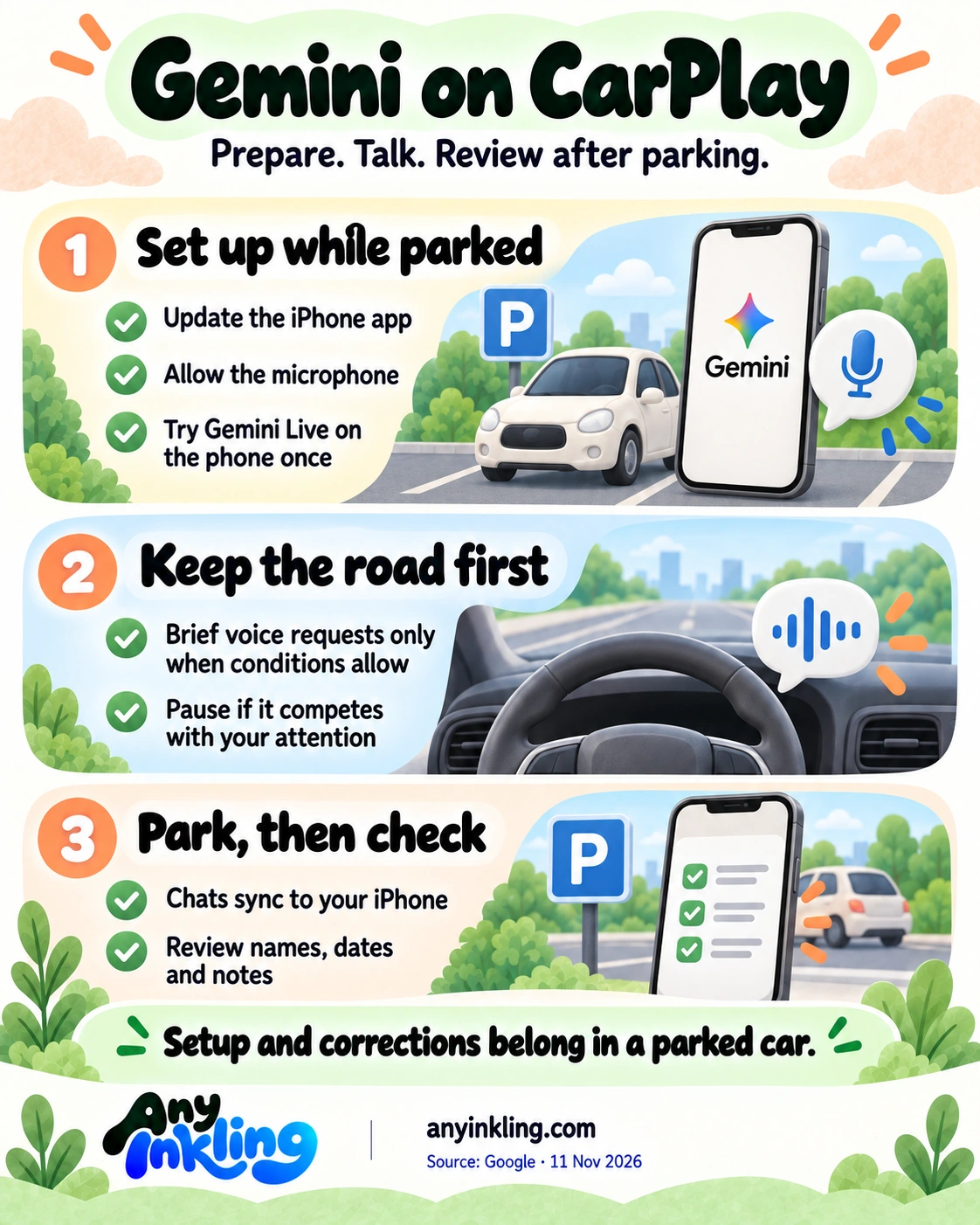
- Getting started requires an updated Gemini iPhone app, microphone permission and having used Gemini Live on the phone at least once. Google says the chats sync to the iPhone so users can return to summaries and notes after parking.
- The useful workflow separates setup, conversation and review. Set it up while parked, use brief voice requests only when conditions allow, then check the details later. Hands-free interaction is not evidence that a task is distraction-free.
- A daily briefing is not automatic for every account. Google says Daily Brief must be enabled first, and certain personalization features, including Daily Brief, are unavailable to users under 18 and in the EEA and Nigeria.
- Check your own iPhone app and compatible CarPlay setup before relying on it. Google describes a global rollout across supported Gemini Live languages; that is not proof that every device or account already has access.
- Use a commute summary as preparation, not a final record. Review dates, names and any proposed reply after parking. Do not treat the launch announcement as evidence that Gemini will send a message, change an appointment or control every vehicle function.
- We have not tested the rollout, account compatibility, distraction or accuracy. Google's examples describe possible workflows, not measured time savings. Driving takes priority: stop the conversation when it competes with attention, and handle setup or corrections only when safely parked.
Original editorial illustration of parking before reviewing a task. It is not an official Gemini or CarPlay interface.
Sources: Google · 11 November 2026 ↗ · MacRumors · 11 November 2026 ↗