
Stop repeating the morning prompt: give Gemini a defined job, then check its limits.
What
- Android Police writer Parth Shah describes moving beyond Gemini's default setup: saving preferences, connecting useful apps, organizing sources in notebooks and scheduling recurring briefings instead of typing the same requests each morning.
- His examples include a calendar-and-email morning briefing, a weekly roundup and reusable instructions for article ideas. He says reusable instructions keep his workflow consistent, but supplies no before-and-after timing, task-success count or controlled comparison.
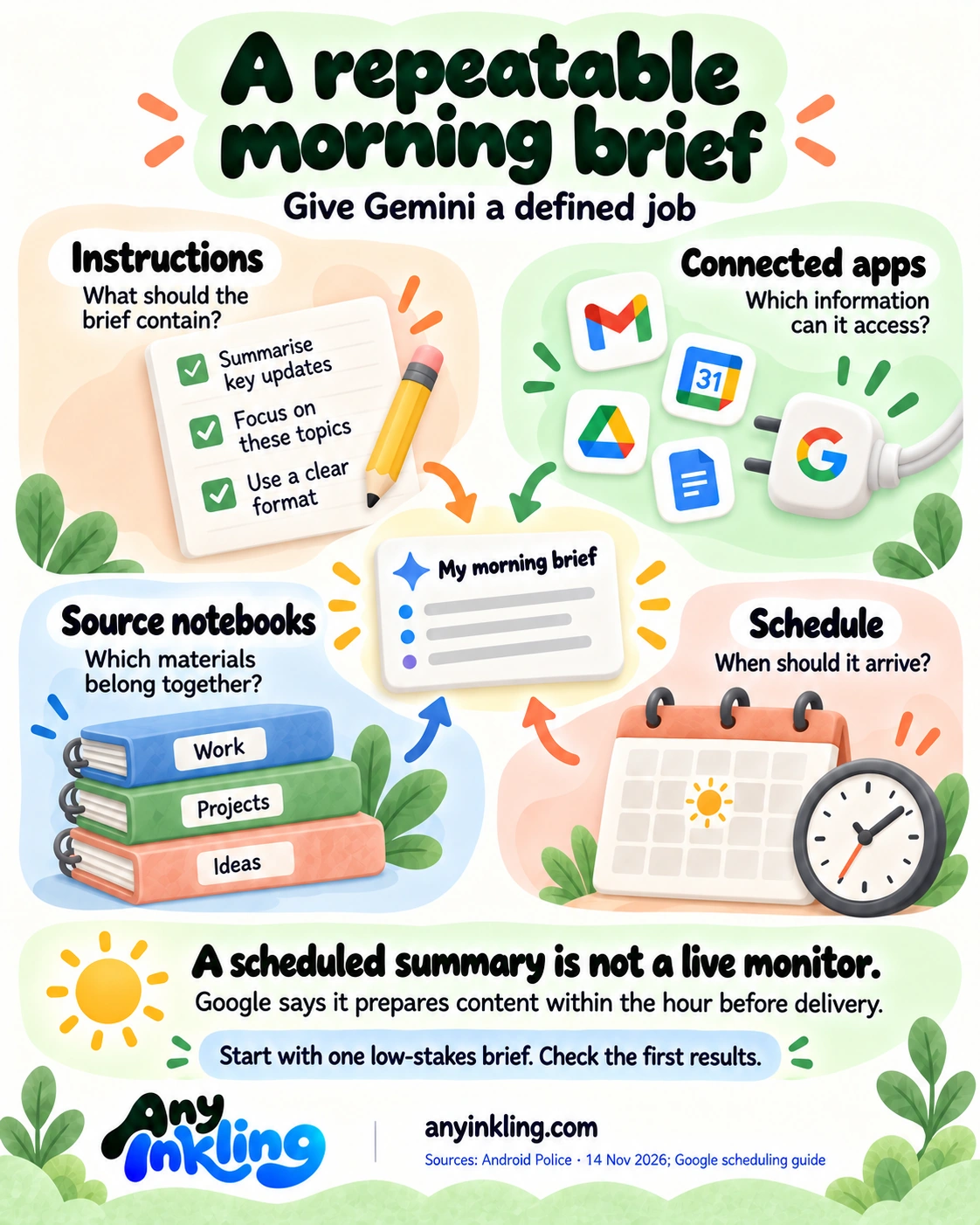
- These are different pieces of a repeatable job. Instructions describe the desired output; connected apps provide access to relevant information; notebooks organize source material; a schedule determines when the job runs. Saving instructions does not itself grant access to an account or make an answer correct.
- The timing limit matters for a morning brief. Google's current scheduling guide says Gemini prepares content within the hour before delivery. It explicitly warns that rapidly changing information, such as stock prices, may not be current when the response arrives. A scheduled summary is not a live monitor.
- Start with one low-stakes recurring summary and specify its sources, output and timing. Inspect the first results before relying on it. If it needs an app's data, that app must be connected; do not assume a reusable instruction can supply missing access.
- Google's scheduling guide requires Keep Activity to be on, allows up to 10 active schedules and says availability is expanding gradually across personal accounts. A feature described in a tutorial may not yet be available to your account.
- Google's skills guide says users must be 18 or older. Skills can work with Keep Activity off, but features that require it, including connected Google Workspace access, then remain unavailable. These are documented conditions, not a recommendation to turn on every connection.
- Treat the notebook suggestion as organization, not proof of accuracy. Google's notebook announcement explains shared sources across Gemini and NotebookLM, but dates from April. We have not verified every current account's notebook eligibility or tested Shah's setup. This is a fresh tutorial about existing features, not a new feature launch or measured time-saving result.
Original editorial illustration of a repeatable morning schedule. It is not an official Gemini interface or a promise of continuous monitoring.
Sources: Android Police · 14 November 2026 ↗ · Google scheduling guide ↗ · Google skills guide ↗ · Google notebooks announcement · 8 April 2026, background only ↗